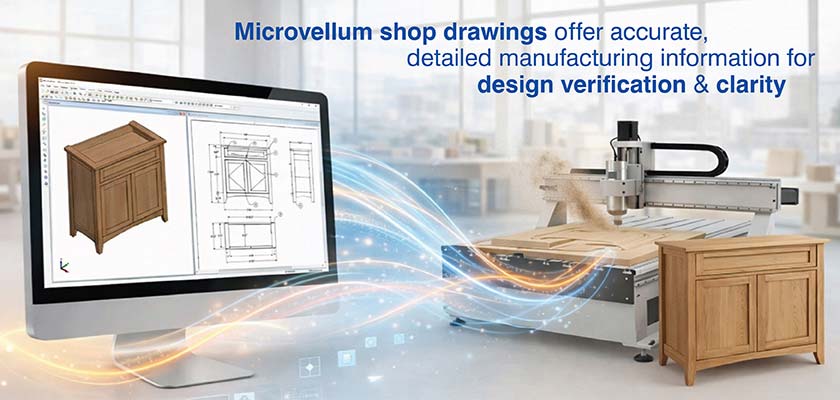
Microvellum shop drawings let you automate millwork drawings creation using database-driven parametric modeling, with manufacturing logic built right into your designs. This makes drafting way more accurate and faster, slashes rework and makes the most of your materials. Plus, it ensures that your design intent and CNC fabrication requirements always line up perfectly.
Table of Contents
Traditional CAD drafting using standard software and relying on static geometry representations leads to inaccuracy, manual reworks in the field, and slow manual updates that waste time. You need to manually define every single detail, hardware placement and machining operation, and this causes inconsistencies and mistakes in your project.
Microvellum, with its database-driven system, provides a solution for millwork shop drawings allowing millwork drafters and fabricators build product libraries that interact seamlessly with the project data. The tool also lets you integrate manufacturing logic right into the design with spreadsheet formulas that turn basic lines into detailed components that drive fabrication.
Microvellum shop drawings line up perfectly with what you need for production, minimize downstream errors and get your workflow running much more efficiently from concept and design to CNC machining.
Microvellum shop drawings are different from traditional millwork shop drawings because they use specialized workflows that graft fabrication data directly into the CAD environment.
The following are the key factors that make the difference:
Move from concept to CNC with Microvellum aligned shop drawings.
Start now »Getting high precision in millwork comes down to automation that can keep accuracy tight across complex assemblies. And Microvellum delivers that with spreadsheet logic that governs every little aspect of part generation and documentation.
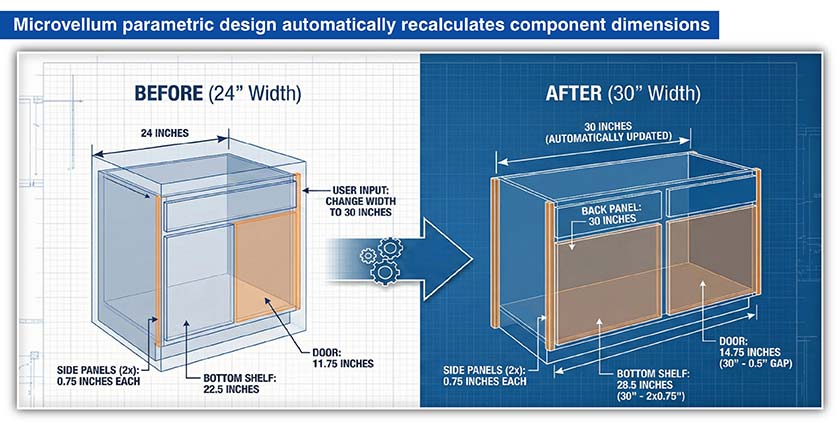
Using parametric design in Microvellum allows users to create designs with parameters established by simple prompts and spreadsheet formulas where variables govern specific characteristics such as width, depth and reveal size.
Example: If the user changes the width of a base cabinet from 24 inches to 30 inches, the program would automatically make the bottom shelf 30 inches while considering the two side panel widths (i.e., 28.5 inches).
It will modify the width of the back panel to be the same as the cabinet and update the door width to be 14.75 inches.
This automation prevents the errors that result from manually updating various parts of a drawing individually.
Built in machining rules and drilling parameters get applied straight into designs using machine tokens (most often PLINE tokens). These tokens carry lists of vectors, bulge data and tool offset information that tells the machine exactly how to cut or drill parts.
Custom millwork detailing is more than drawing lines. It’s about applying engineering rules that make sure every joint and hinge hole ends up in the right place. Microvellum simplifies this by automating all of this using preloaded library data.
Having material files and global variables in place helps cut down on design and fabrication mismatches. Furniture and cabinetry shop drawings created using Microvellum makes this easier for the installers by taking into account the actual material thickness and the assembly method you’ve defined in the global specifications.
This reduces rework in millwork projects because it flags up physical conflicts like hardware collisions during the drafting phase.
The software generates G Code directly from drawing tokens and puts in tool numbers, feed speeds and compensation values as it goes, based on the tool file configuration.
For instance, when the system creates a dado joint for a cabinet side panel, it doesn’t just draw a line. It lays out CNC instructions that tell the machine exactly what to do (e.g. use tool #3 a ¼ inch straight bit), set the feed rate to say, 400 IPM define the cut direction (say Climb). It also works out the exact dado width based on the shelf’s material thickness.
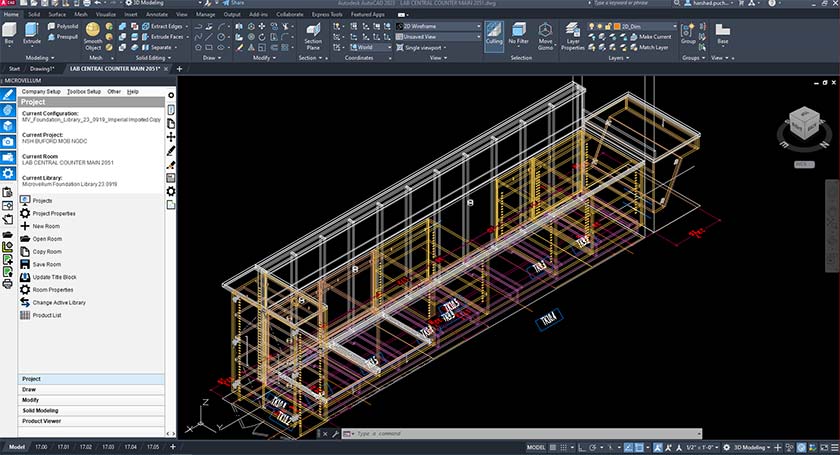
Microvellum’s automation tools lets you speed up the whole documentation process while staying precise and error free.
Once you have a single 3D model in place, you will automatically create all your 2D and 3D drawings. Embedded 2D drawing tokens in the Product Library allow for this automatic process.
Key benefits of automating Microvellum shop drawings include:
This documentation phase is greatly accelerated by allowing Microvellum to create a full set of drawings based on the same parametric model as was used to develop your design.
Project specifications are grouped in a way that lets you work through revision cycles and get changes to your entire project fast. Make a change to a global variable and every relevant drawing gets updated right away. That means you can respond a lot faster to any changes from the architect or client.
This interior millwork solution really delivers when it comes to sorting out dimensional conflicts and making sure everyone’s on the same page.
The product library is set up to store common components like base cabinet carcasses as subassemblies. These subassemblies are actually parametric objects, driven by Excel formulas rather than any static AutoCAD blocks.
Hardware uses machine tokens. For example, a “Cam Lock” is just a point in space that has an associated token (BORE_V) that tells the post processor to drill a 5mm hole at 12mm depth at some specific coordinates that are derived from the width of the subassembly. This lets you model repetitive units in commercial projects a lot faster.
By using preconfigured libraries with real-world fabrication logic built into them, you focus on the unique stuff that makes your designs stand out rather than having to spend all your time rebuilding standard boxes.
Proper visualization lets designers check out complex shapes in 3D before cutting any wood, which helps when you are trying to get your ideas across to people who struggle with understanding 2D drawings.
For 3D millwork visualization using Microvellum, you can apply different styles to make your design look realistic, shaded or even wireframed. You can then map materials to the surfaces of your design in a way that makes it look authentic. This helps to create a model that shows clients and stakeholders all the key details like materials, finishes, wood grain and how things fit together.
When people see a clear, photorealistic image using Microvellum, it clears up all confusions between architects and stakeholders. This helps millwork drafting services reduce the back and forth and you can take decisions with a lot more confidence earlier on in the design process.
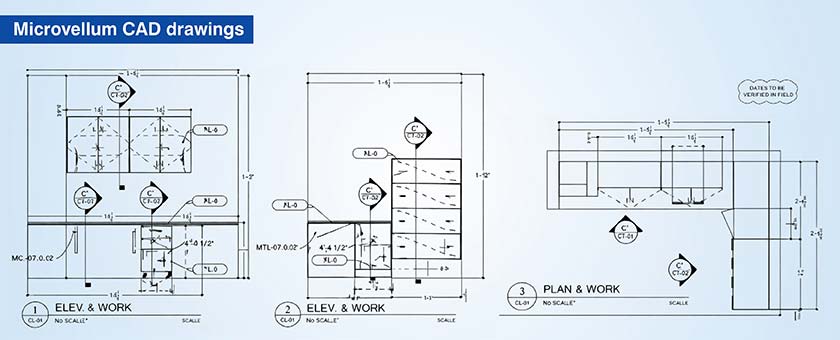
The real challenge of quality documentation lies in having a way to manage detailed data that automates complex detailing to match production standards. In Microvellum, this can be done using report generation and annotation that uses tokens to point to specific details.
In woodworking design, for instance, while working with architectural millwork detailing for retail stores, Microvellum lets you manage material callouts, grain direction, edge banding & machining paths by pulling it all from object properties. That way, you don’t need to manually annotate all these features.
In the nesting settings, we can set grain matching options to make sure grain alignment for veneers is clear on the shop floor, so you avoid any costly aesthetic mistakes.
Microvellum’s Report Designer helps by automatically creating BOMs (Bill of Materials), hardware lists and cut lists so that the documentation matches production requirements exactly.
The benefits include the following:
This process keeps everything data driven so that fabrication teams have all the information they require at their fingertips and it will always stay in sync with current design state.
Optimizing commercial millwork with Microvellum
A top US furniture maker needed detailed shop drawings for a big commercial millwork project. They weren’t equipped with the inhouse skills or the bandwidth to handle custom millwork elements especially with the tight deadlines involved.
Hitech CADD Services used Microvellum’s powerful design tools to help streamline the process. They worked closely with the team to develop a solid training plan that produced accurate shop drawings & manufacturing documentation that would work seamlessly with AutoCAD for a smooth experience and produced CNC ready outputs for all millwork parts
The end result was:
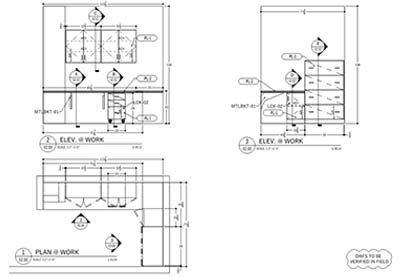 Microvellum CAD Drawing
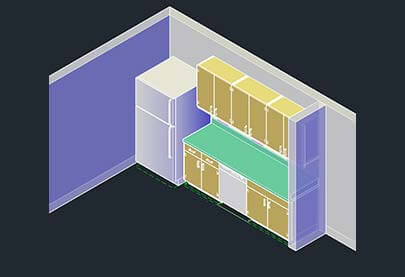 Microvellum CAD Modeling
Build consistency using Microvellum configured cabinet templates.
Explore options»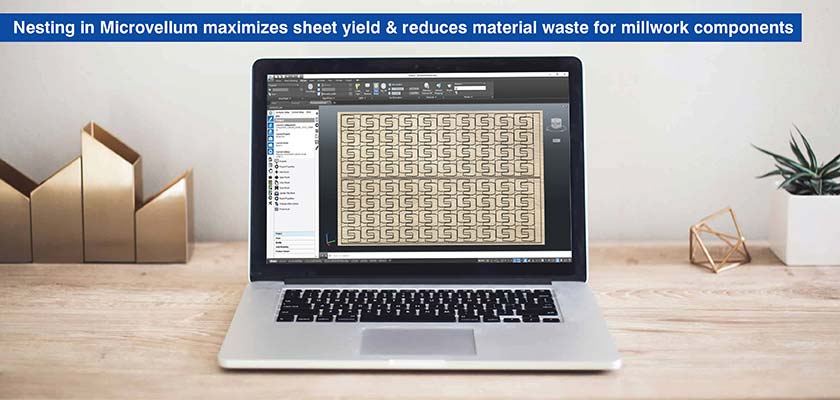
In Microvellum, you get sophisticated algorithms that figure out how to get the most out of your materials and minimize your amount of waste.
Material optimization In millwork starts with having a good understanding of how much material you’ll actually need. Microvellum helps you get an accurate picture of what you’ll need by looking at the model, taking into account how much scrap you’re going to end up with.
For example, if you are processing a kitchen order for 20 shelves (18″ wide each), the system will go and figure out how to nest all the parts on the sheets of material it’ll use a factor that you can configure to figure out how much scrap you’ll be left with.
Microvellum gives you the lowdown on nesting and panel utilization with its stay-down nesting algorithm and true shape nesting. In architectural woodworking design this means you’ll be saving on material waste and getting production on track.
By being able to see how part sizes affect sheet yield, designers can make tiny tweaks that have a big impact on material savings.
| Aspect | Traditional CAD approach | Microvellum approach |
|---|---|---|
| Material calculations | Manual calculations prone to estimation errors | Automatic takeoffs with Scrap factor and Off cut management simulation |
| Nesting software | Separate nesting software required, manual data export/import | Integrated True Shape Nesting and Stay down Nesting algorithms |
| Part geometry analysis | Limited or no analysis of part shapes during layout | Analyzes part geometry to optimize sheet layout automatically |
| Design phase insights | Minimal material efficiency feedback until production | Real time yield visualization and optimization during design |
| Layout adjustments | Retroactive changes after discovering material waste | Proactive minor dimensional adjustments for significant material savings |
When you use Microvellum the relationship between design decisions and material efficiency becomes simplified and clear.
Microvellum shop drawings give designers the edge they need by making drafting faster, smoother and more accurate thanks to intelligent automation. By integrating things like specification groups and machine tokens they transform traditional drafting workflows into data-driven processes that make every decision count.
As the industry moves to digital millwork design, using Microvellum is going to make a huge difference for millwork designers and fabrication teams. The shift from static geometry to intelligent, database-linked documentation is going to help you massively, where shop drawings drive CNC production directly and eliminate the gaps reducing rework in millwork projects.

Ripu Daman Singh heads the millwork and joinery vertical at Hitech CADD Services, an integrated Engineering Consulting and Solutions company. He commands extensive domain expertise and technological proficiency, having delivered winning solutions for complex industrial design drafting projects across the manufacturing segment. His experience encompasses an impressive portfolio of engineering design across furniture, joinery, millwork, cabinetry and casegood sectors in the residential, commercial and industrial space.
You may also like
The Role of Millwork Detailing in Modern Architecture
 Feb 11th, 2026